“
You have a script and no crew.

StorytellersShort films · spoken stories

Paste a script. Optra Studio plans the shots, draws a cast that keeps its face, voices the lines and cuts the film.
Every new account starts on the Free plan, with a watermark on the film. A paid plan has no watermark.
Hover a film to preview it. Click to watch. Made with Optra Studio and published on our Instagram, @optrastudio.creator.
Of free film on the Free plan, no card
Longest film, on Studio 10
Films made at the same time, on Studio 10
Charge per film, on any plan
Bring a script and choose a frame. The studio shapes the plan, the cast and the cut around it — wide (16:9) for screens or tall (9:16) for phones.
Bring a script and choose a frame. The studio splits it into shots, draws your cast and places, lays out the plan, makes every clip and voice, and cuts the film. Watch the full project, then tap any step to jump straight to it.
Start your first project → Play the video → Watch it in HD →
Each character is drawn once and kept, so their face, clothes and voice carry from shot to shot. Don't like a shot? Change its words and the studio draws it again — or mark it Wrong, add a note, and the studio draws it again.
Try it on your script →Each character is drawn once and kept, so their face, clothes and voice carry from shot to shot.
Every shot, its length, who is in it and what they say.
Wide (16:9) for screens or tall (9:16) for phones.
Each line voiced for its character, with sound beneath it.
Change the words of a shot that has been made and the studio draws it again, or mark it Wrong and the studio draws it again.
Press “Write my script from this idea” and the studio writes your script, checked by code.
Connect any tool that speaks MCP to your own studio account.
Each project can choose its models. Switch between them to see what each one is built for — pictures, clips and voices are all made on Optra's own machines, with no outside image or video service. New projects start on MiniMax H3.
The storyboard is written by Qwen unless a project picks another writer.
Press “Write my script from this idea” and the studio writes your script, checked by code.
Drawn with FLUX.2 klein 9B.
Clips are drawn by image-to-video models, and new projects start on MiniMax H3; pictures, clips and voices are made on Optra’s own machines, with no outside image or video service.
Being tested, not offered yet. Pictures: MiniMax H3 Image; NitroFusion2 one step; NitroFusion2 two steps; P-H3-Image. Clips: HyperFlow H3 Flash (MiniMax H3, six steps); InfiniteTalk (every shot); MiniMax H3 (GGUF); Singularity V2 (from references).
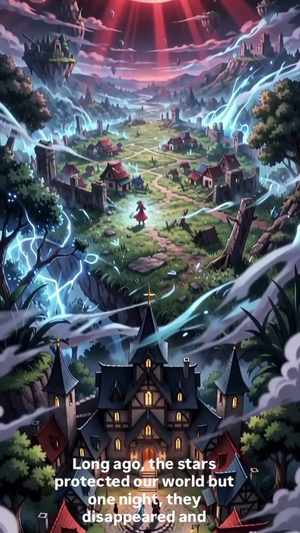
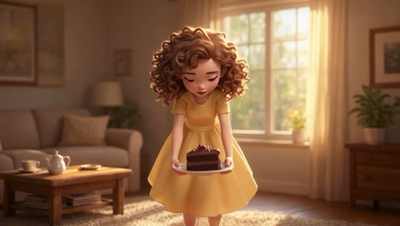
Short videos on making a film with Optra Studio, from our channel on YouTube. A video loads only when you press it.

 With Optra Studio
What a plan sets: how many films are made at the same time, how long one film can be, and how much finished film you keep.
A project is one script made into one film. Each parallel generation makes one project at the same time as the others, so more parallel generations means more films made at once.
From $4,999 a month
Films from 1.5 up to 3 hours.
From $100,000 a month
Films from 1.5 up to 3 hours. More projects at the same time than Studio 10.
| Studio 1 | Studio 5 | Studio 10 | |
|---|---|---|---|
| Films at a time | 1 | 5 | 10 |
| Longest film | 5 minutes | 10 minutes | 15 minutes |
| Finished films kept | 1 GB | 5 GB | 20 GB |
| Charge per film | None | None | None |
Studio 1: 1 film at a time, films up to 5 minutes long, 1 GB of finished films kept. Studio 5: 5 films at a time, films up to 10 minutes long, 5 GB of finished films kept. Studio 10: 10 films at a time, films up to 15 minutes long, 20 GB of finished films kept. There is no charge per film. Each film being made is a queue, and the studio works your queues in parallel. Studio 1 runs 1 parallel generation, Studio 5 runs 5 and Studio 10 runs 10. When the finished films you keep fill your plan’s storage, a new project is not started until you delete a project or move to a bigger plan. Not sure which plan fits, or need more than Studio 10? Reach out to us: sumit@optracloud.com or WhatsApp +971 56 571 7771.
A script and a mobile number: verifying it gives you your free 5 minutes of film, in one film, on the Free plan.
Now: sign-up is open. Sign up, verify your mobile number, and you can make your first film on the Free plan, or choose a paid plan.
A short film (a story told in one film), a series (episodes that share one cast and one look) or a spoken story (dialogue and narration, each line voiced). Each can be wide (16:9) for screens or tall (9:16) for phones.
Every new account starts on the free plan, with no card: 5 minutes of finished film in one film for each mobile number. Its film carries a watermark; paid plans do not.
Studio 1 makes films up to 5 minutes, Studio 5 up to 10 minutes and Studio 10 up to 15 minutes. A script that adds up to more than your plan allows is not started: shorten it, or move to a longer plan. Within the limit, a longer film takes longer to make.
English, Arabic and Hindi at launch; more are added as they pass our checks.
Yes: once a shot has been made you can change its words and the studio draws it again, and when a shot keeps failing you can tell us. Our team never edits your film by hand — fixes come from the studio’s own code and your own words.
The storyboard is written by Qwen unless a project picks another writer. Pictures are drawn with FLUX.2 klein 9B, and clips are drawn by image-to-video models; new projects start on MiniMax H3. Pictures, clips and voices are made on Optra’s own machines.
Yes. A project, its pictures and its film are seen only through your own account.
Still curious? Chat with us on WhatsApp — a person answers.
Bring a script. Leave with a film. Paste a title or a first line to start — the Free plan needs no card.
Sample project